Schedule Pinterest content and grow your visual presence
Pinterest made simple. Remove the hassle of manual pinning so you can focus on creating beautiful visuals. Picmim helps you grow your reach and drive traffic with smart scheduling, content tools, and analytics.
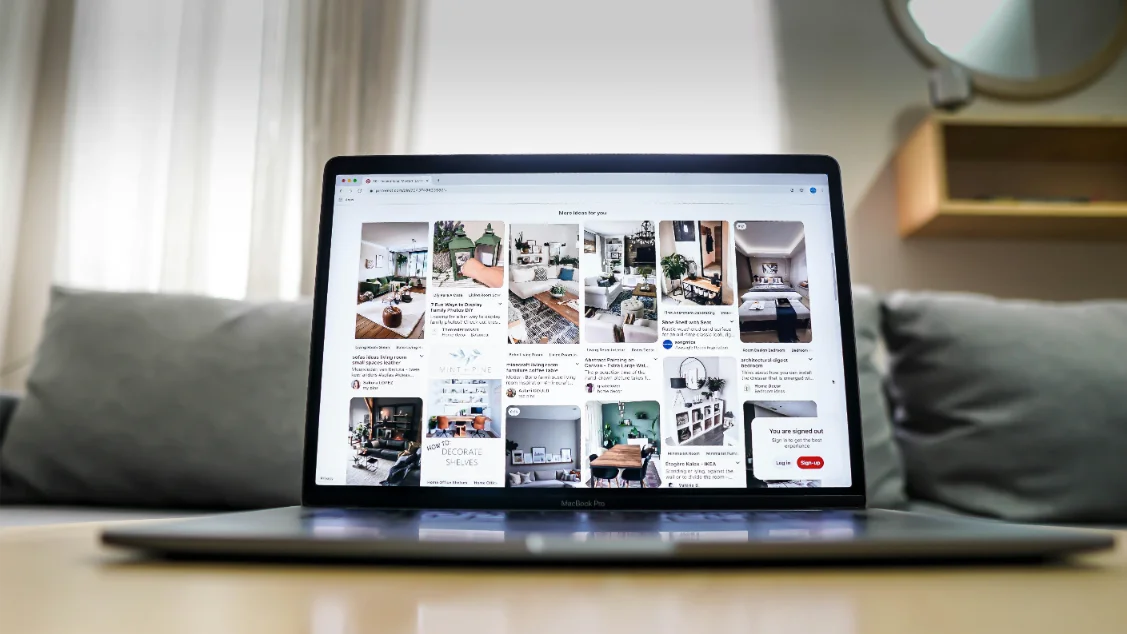
Everything you need for Pinterest success
Powerful features designed to help you create, schedule, and grow on Pinterest
Pin Scheduling
Schedule your pins in advance and maintain a consistent presence without daily manual effort.
- Schedule pins with optimal timing
- Batch upload and schedule multiple pins
- Automatic pin publishing
Board Organization
Organize your content into beautiful boards and keep your Pinterest profile structured and engaging.
- Create and organize multiple boards
- Track performance of each board
- Smart content categorization
Visual Content Tools
Create stunning pins and optimize your visual content for maximum engagement and clicks.
- Beautiful pin design templates
- SEO-friendly pin descriptions
- Trending keyword suggestions
Performance Analytics
Track your Pinterest growth with detailed analytics on impressions, clicks, and engagement.
- Detailed engagement analytics
- Website traffic from Pinterest
- Top-performing pin analysis
How it works
Get started in three simple steps
Connect
Connect your Pinterest account securely with Pinterest Login
Create
Use our visual tools to create beautiful pins and organize boards
Publish
Schedule pins automatically or publish instantly. Track your growth
Why choose Picmim for Pinterest?
Save Time
Schedule weeks of pins in hours
Drive Traffic
Traffic-focused pin optimization
Grow Your Reach
Strategic Pinterest growth
Visual Branding
Cohesive visual identity
Frequently Asked Questions
Everything you need to know about Pinterest management with Picmim
Key features include:
- Visual content planning and scheduling
- Optimal pin timing for maximum reach
- Board organization and management
- Bulk scheduling for efficiency
- Content organization with tags and categories
- Visual analytics and reporting
- Team collaboration features
- Standard Pins – Static images with descriptions and links
- Video Pins – Engaging video content up to 15 minutes
- Idea Pins – Multi-page video and image stories
- Product Pins – Shopping-enabled pins with pricing
- Story Pins – Vertical, immersive storytelling format
- Carousel Pins – Multiple images in a single pin
📋 Board Organization Features:
- Create and manage multiple boards from one dashboard
- Schedule content to specific boards automatically
- Organize boards by topic, campaign, or theme
- Maintain consistent visual aesthetics across boards
- Track performance of individual boards
- Identify your most successful board categories
- Optimize board descriptions for search
- Monitor board follower growth and engagement
📊 Performance Analytics:
- Pin engagement (saves, clicks, shares, comments)
- Impressions and reach metrics
- Website clicks and traffic referrals
- Board performance and follower growth
- Top-performing pin designs and formats
- Best times to post for your audience
- Keyword and hashtag performance
- Competitor analysis and benchmarking
📅 Smart Scheduling Features:
- Peak Activity Timing – Post when your audience is most active
- Visual Content Analysis – Learn from your successful pins
- Board-Specific Optimization – Different timing for different topics
- Time Zone Considerations – Adjust for your target audience
🎨 Visual Creation Tools:
- Pin design templates and layouts
- Brand kit with colors and fonts
- Image optimization for Pinterest specs
- Video pin creation and editing
- SEO-friendly pin description generator
- Keyword and hashtag suggestions
- Title optimization recommendations
- Visual content best practices guidance
🌐 Platform Integration:
- Pinterest (visual pins, boards, analytics)
- Instagram (posts, Stories, Reels)
- Facebook (Pages, Groups, Stories, Reels)
- X (Twitter) – Tweets and threads
- Threads – Meta's text-based platform
- LinkedIn – Professional content
- TikTok – Short-form video content
- YouTube – Video scheduling and management
- Unified content calendar across all platforms
- Cross-posting with platform-specific optimization
- Consistent visual branding
- Centralized analytics and reporting
🚀 3 Simple Steps:
1. Sign up – Create your free Picmim account in seconds
2. Connect Pinterest – Link your Pinterest account securely with Pinterest Login
3. Start Creating – Schedule your first beautiful pins immediately
✨ What You Can Do Right Away:
- Set up your board structure
- Create visual content calendars
- Schedule your first week of pins
- Explore Pinterest analytics and insights
- Invite team members for collaboration
- Optimize pins for SEO and traffic
Ready to master Pinterest marketing?
Start creating, scheduling, and growing your visual presence with Picmim today